
How to upgrade devices in batches
Upgrades reboot devices — plan a maintenance window.
1. Pre-check#
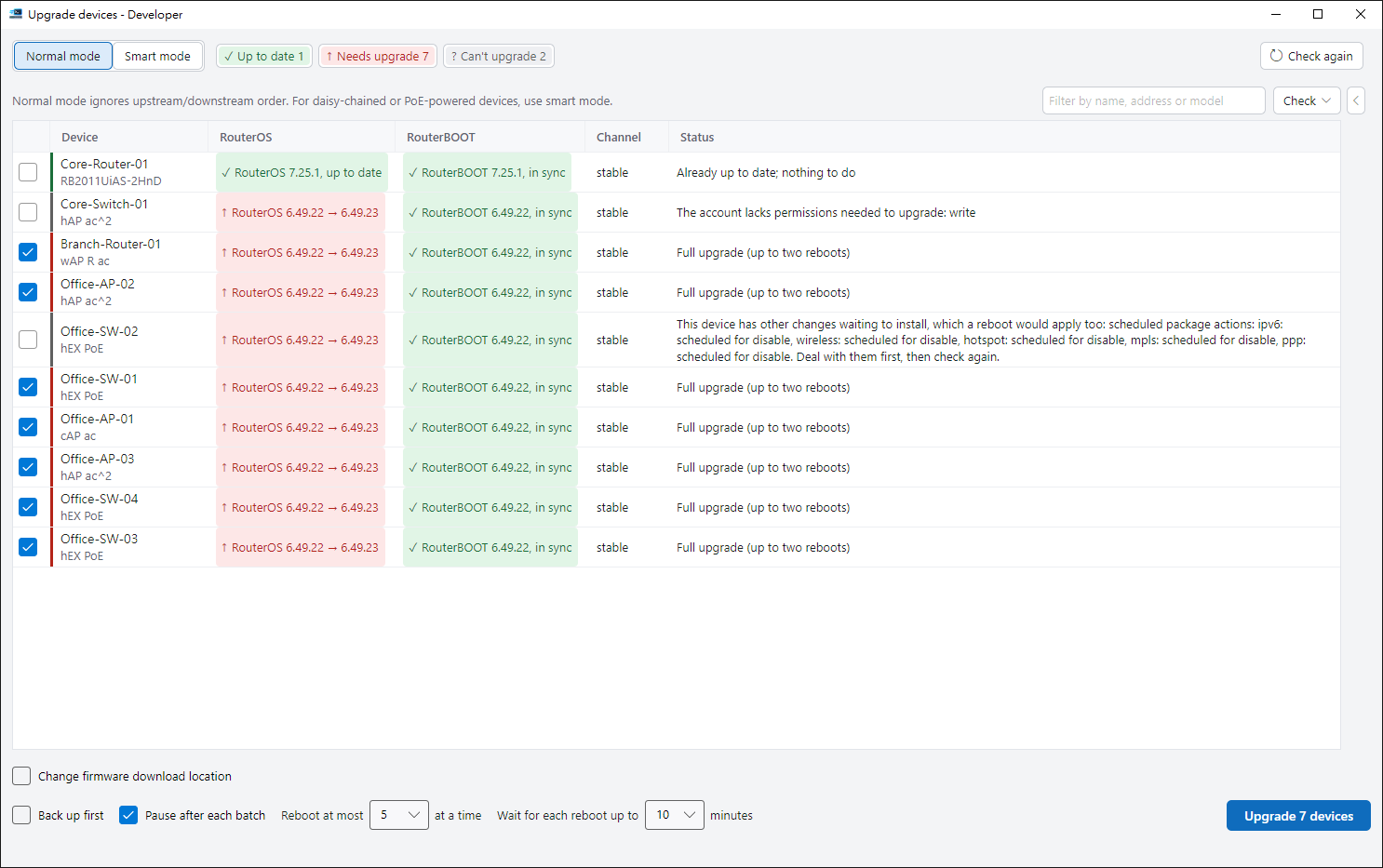
Select devices and click Upgrade devices. It needs the WinBox protocol (8291). The pre-check lists each device’s version and whether — and why — it can be upgraded.
2. Choose batching#
Standard puts devices in one batch and limits how many reboot at once. Smart batches from the edge back to the core based on your network.
3. Run and finish#
Each device is backed up before upgrading. After reboot, RosRunner checks it is the same device on the right version. Stop halts new actions but cannot undo a reboot already under way.
Note#
RosRunner does not offer downgrade or automatic rollback.
Tips#
- Right-click a device row to recheck that device, open it in WinBox or a console, or copy the row.
- The Check menu can pick only the devices whose RouterOS is current but whose RouterBOOT still needs updating.
- Pausing after each batch is on by default, so you can confirm one batch before the next.