
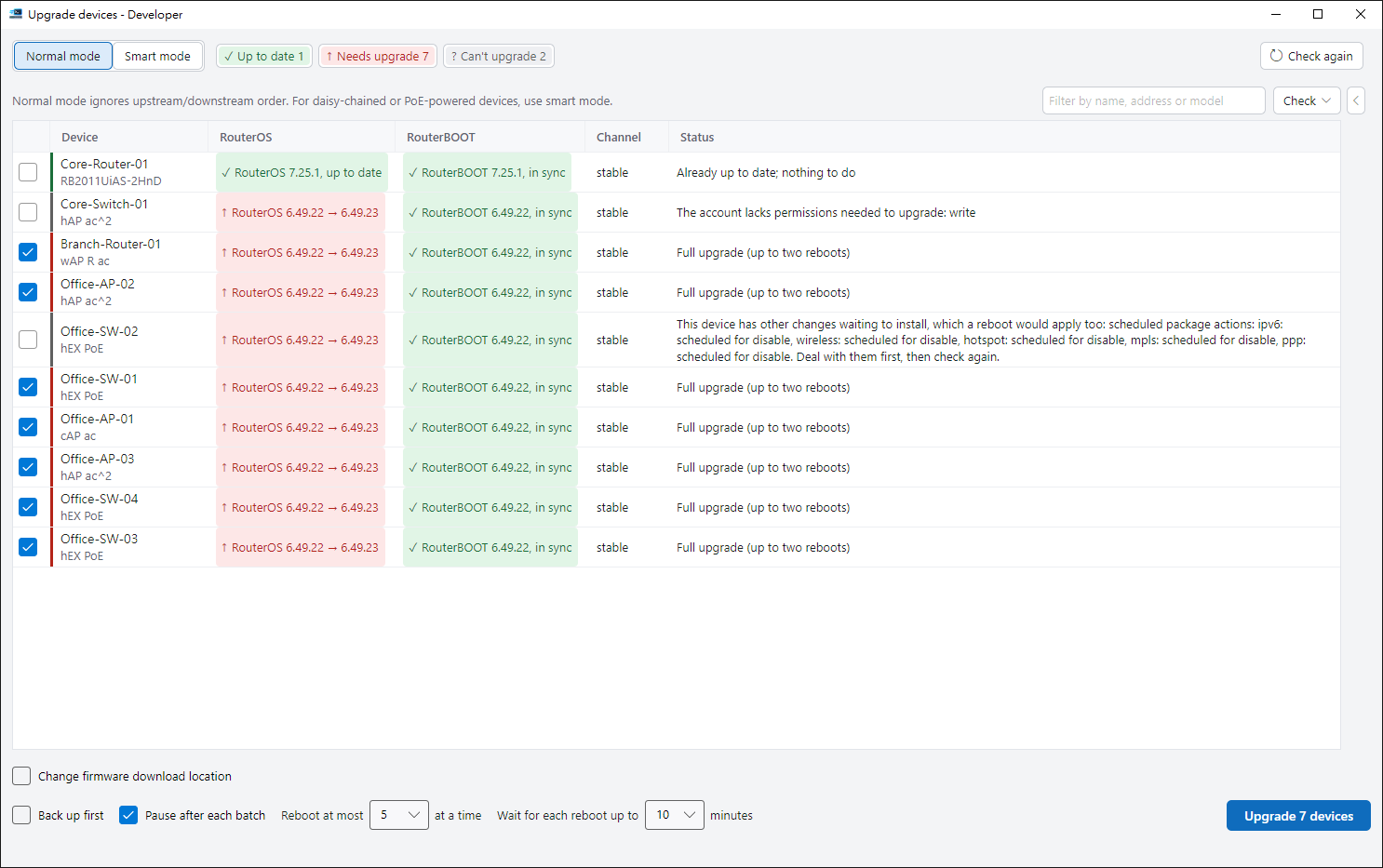
Know what can be upgraded first
The pre-check lists versions and reasons, so you can review each device first.
Backup before upgrade
So you always have the config to fall back on.
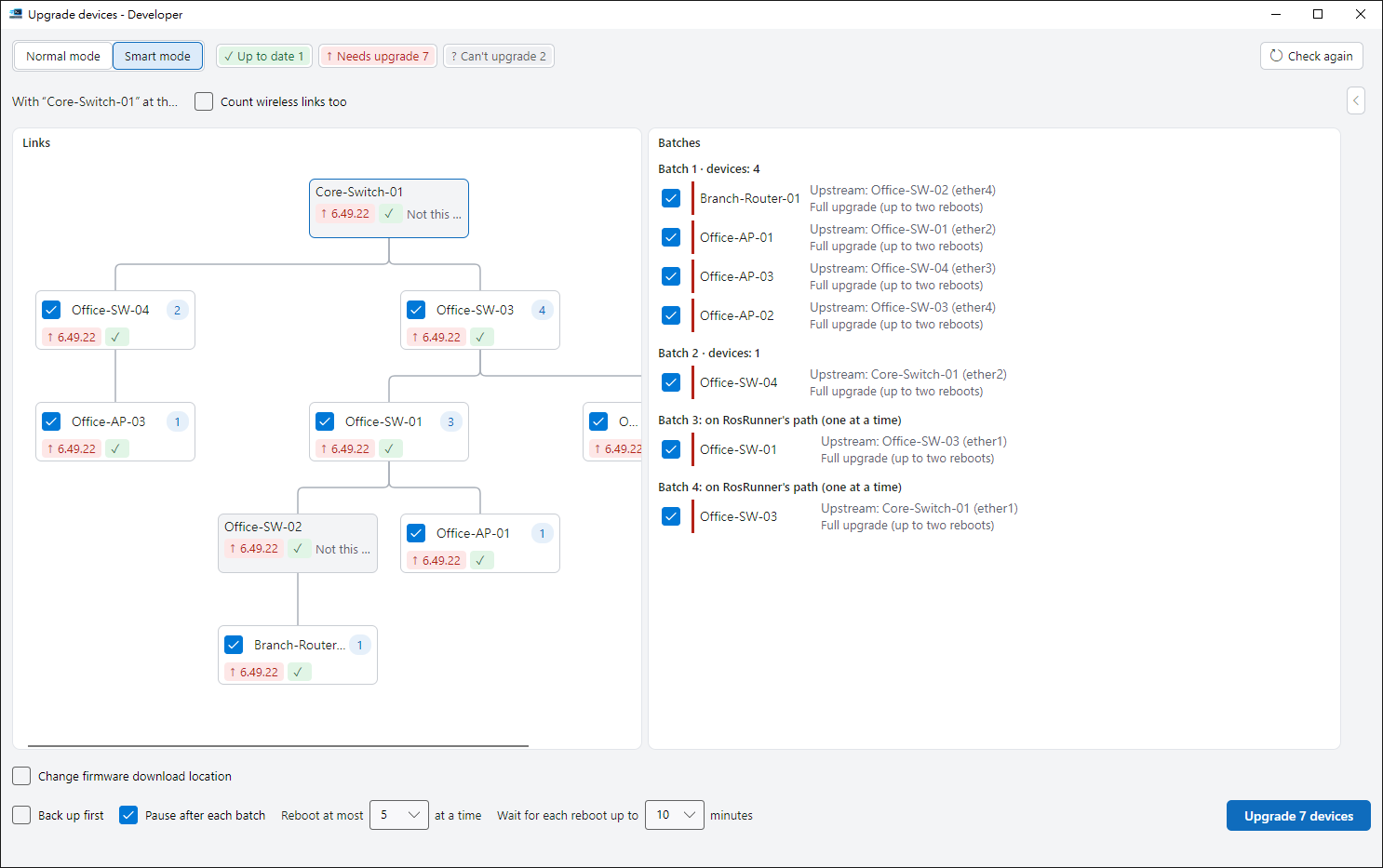
Smart batching
From the edge to the core, so you don’t cut off a whole branch.
Verified after reboot
Confirms it’s the same device on the right version.
Ordered by your network layout
Devices with an unclear position are left out, with the reason shown.
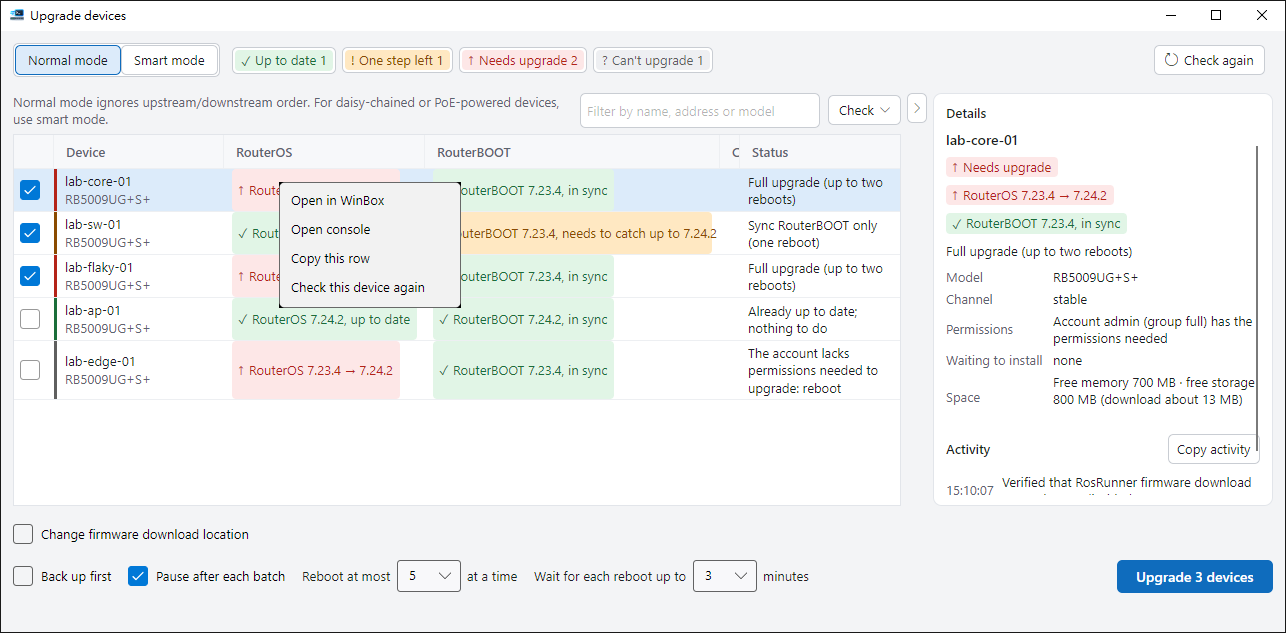
Right-click a device row
Recheck just that device, or open it in WinBox or a console to take a look.
- The Check menu can select only devices whose RouterOS is current but whose RouterBOOT is behind.
- By default it pauses after each batch so you can confirm before the next one.
Ready to try it?
The guide walks you through your first run.