
Feature
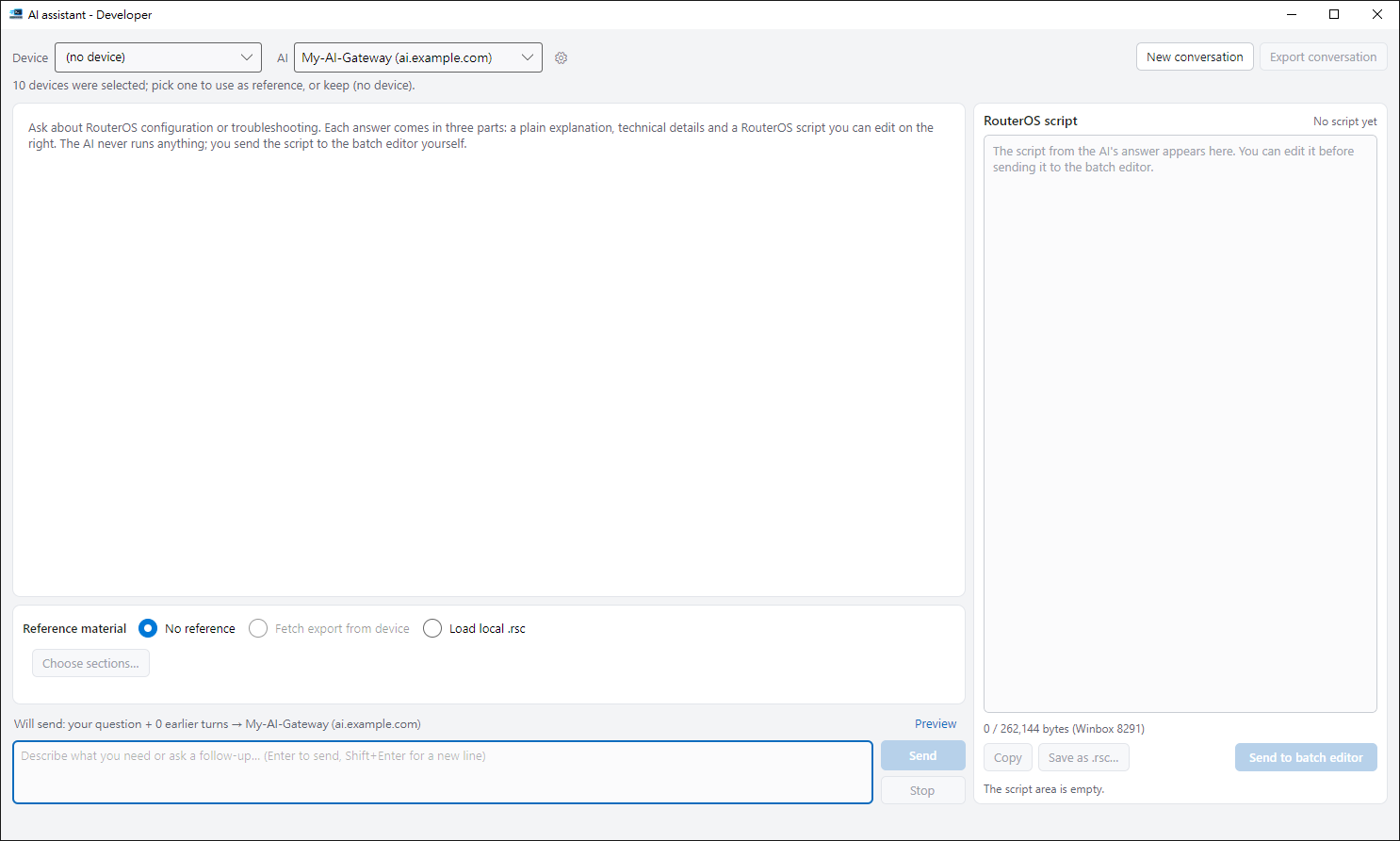
AI that knows your device
Not a generic example — an answer written for this device.

Show it the device, then ask
Answers come as a plain explanation plus an editable script that matches the version and interface names.
Your own AI
Connect the AI service or local model you prefer.
Preview before sending
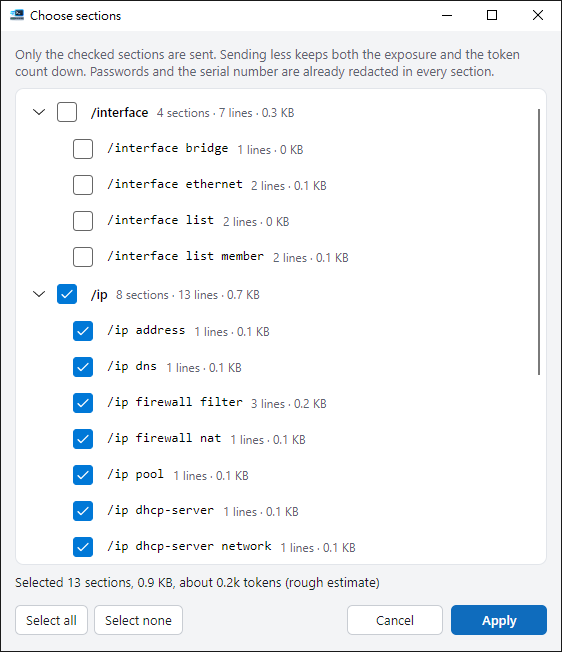
Passwords and serials are hidden, and you see exactly what goes out.
You decide what runs
The AI never runs anything; scripts go back to batch for your confirmation.

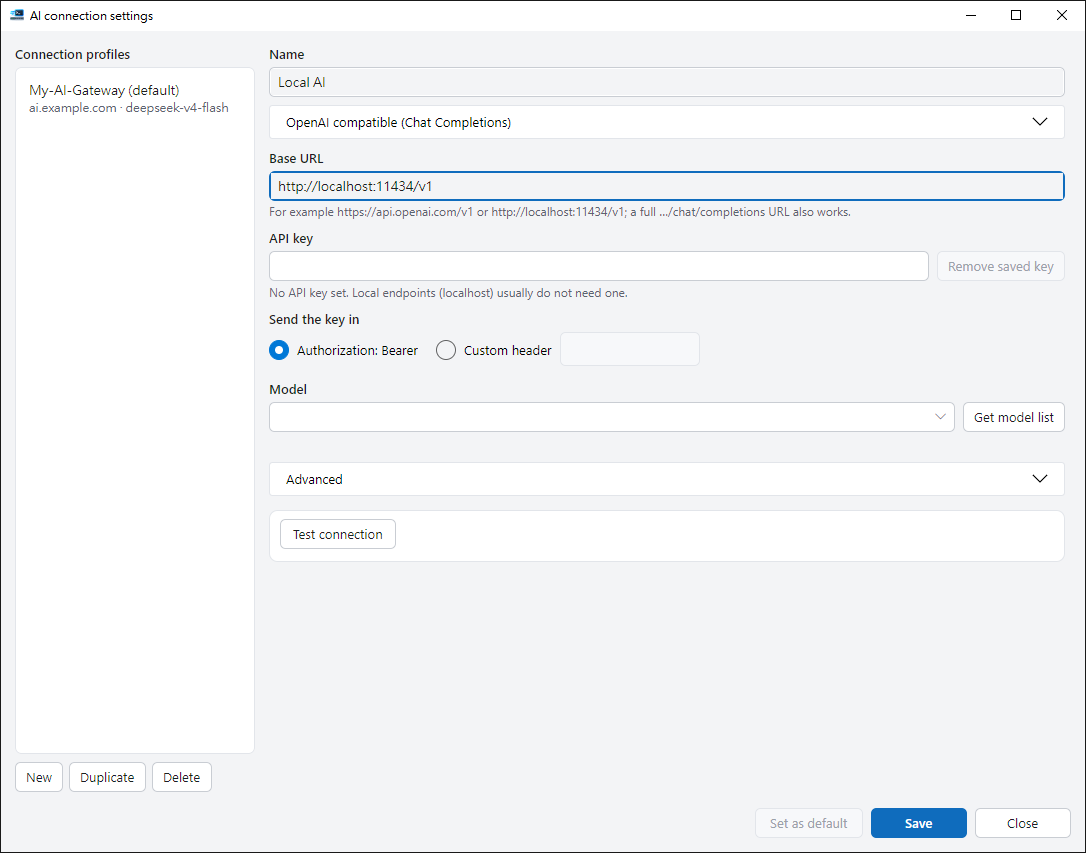
Set up your AI service in a few steps
Your API key is kept by Windows, not in ordinary files.
Send only the configuration sections you pick
The less you send, the less leaves your network. Passwords and serial numbers are always masked first.
Ready to try it?
The guide walks you through your first run.