
Feature
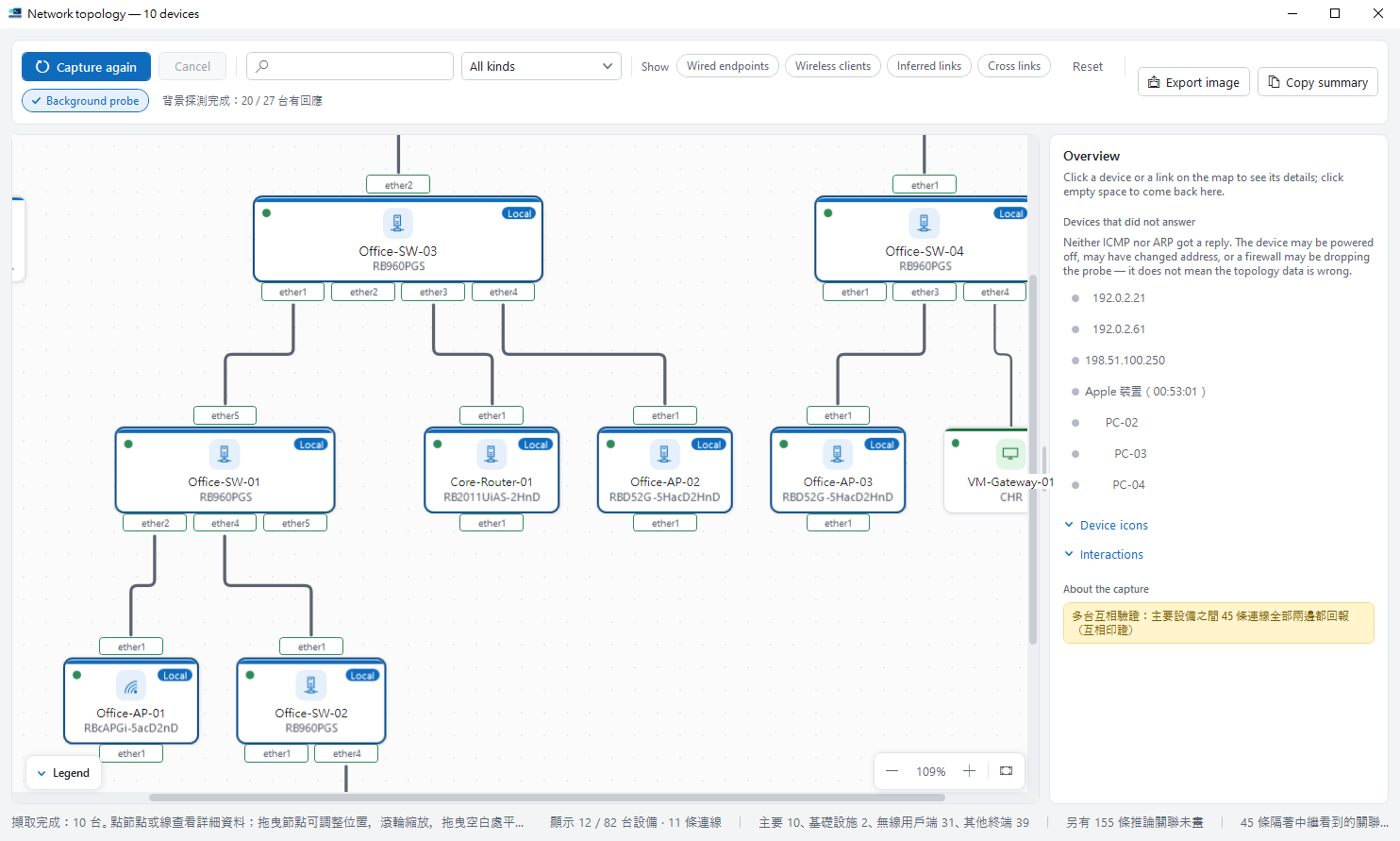
Your network, drawn for you
Make sense of an unfamiliar network, fast.

Devices, ports and links on one map
Click a node for details; uncertain links are shown dashed.
Path tracing
See how traffic likely flows between two points.
Export an inventory
Export the link list for hand-over documents.
Read-only
Never changes device settings.

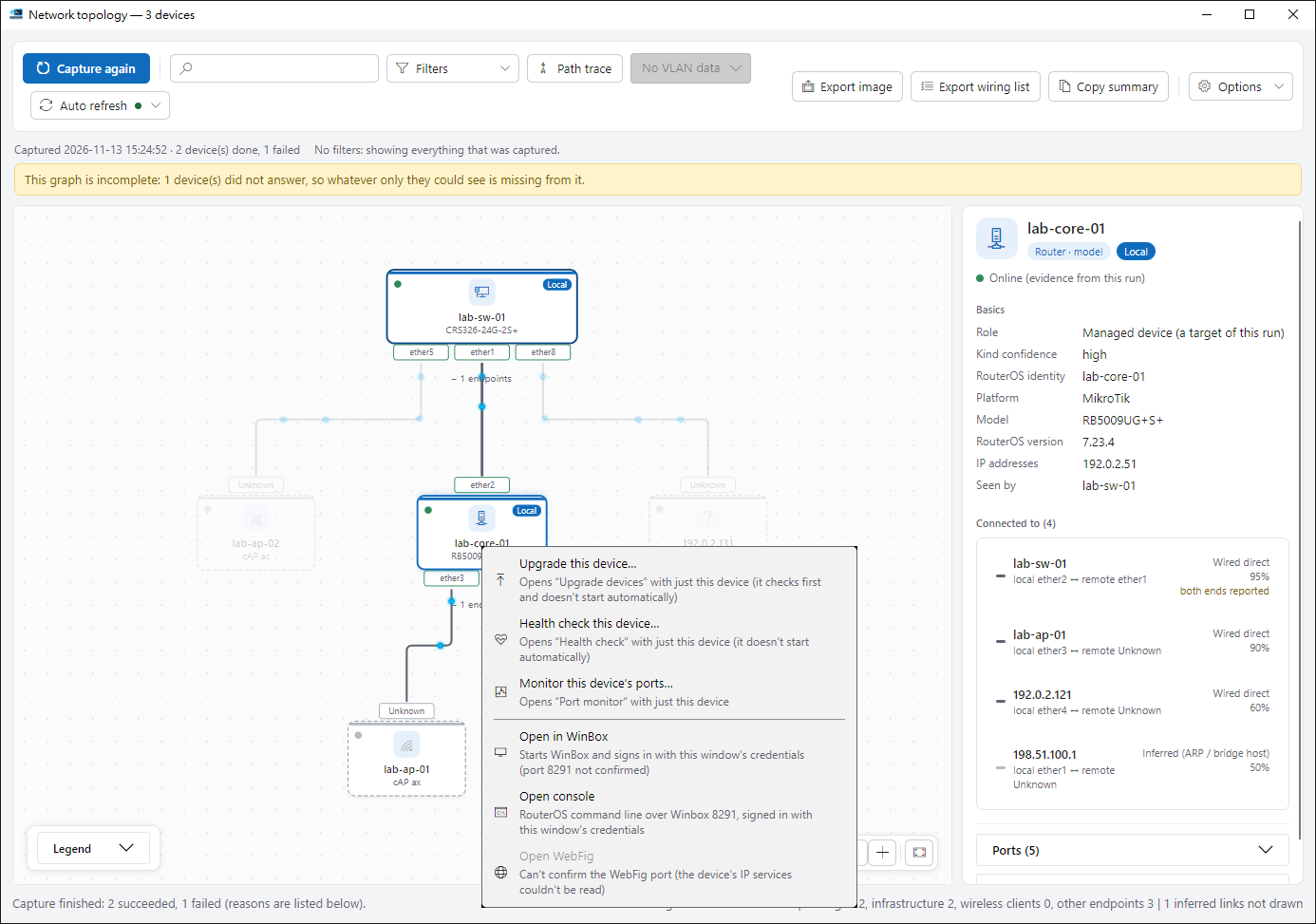
Right-click a node to work on that device
Take it to an upgrade, health check or port monitor, or open it in WinBox, a console or WebFig.
- Only that one device goes along; your checks on the home screen stay as they are.
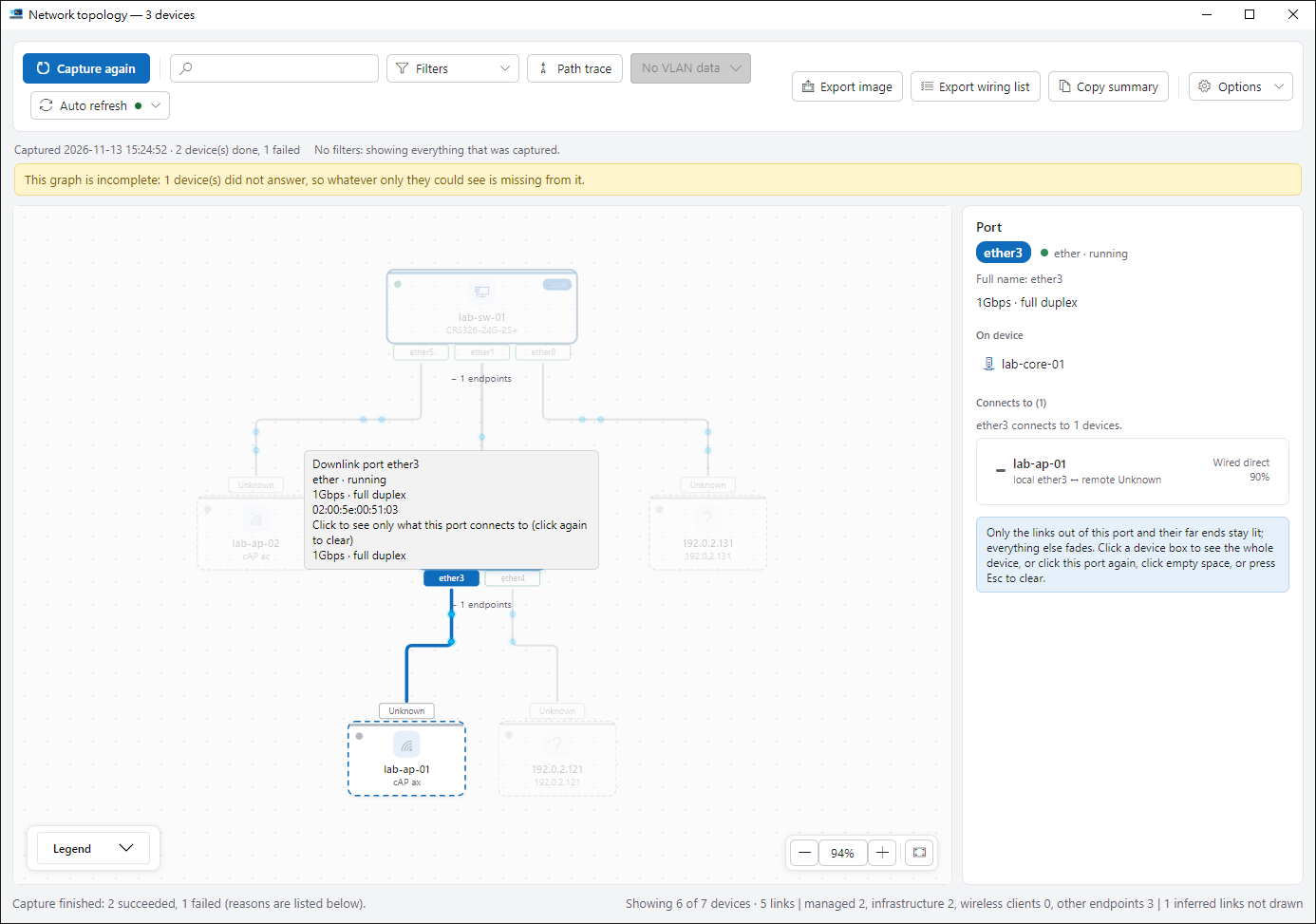
Click a port label to see only what it connects to
Everything else fades. Click again or press Esc to bring it back.
Ready to try it?
The guide walks you through your first run.